Deckmate
Join the waitlist

A deck about Deckmate

This page is a deck.
So is your next presentation.

Agents already draft slides in HTML. Deckmate is the macOS app where those decks live: plain files on your disk, a presenter window for you, a clean slide for the room. Edit in place, export to PDF or PPTX when asked. Your deck, your agent, your machine.
Join the waitlist
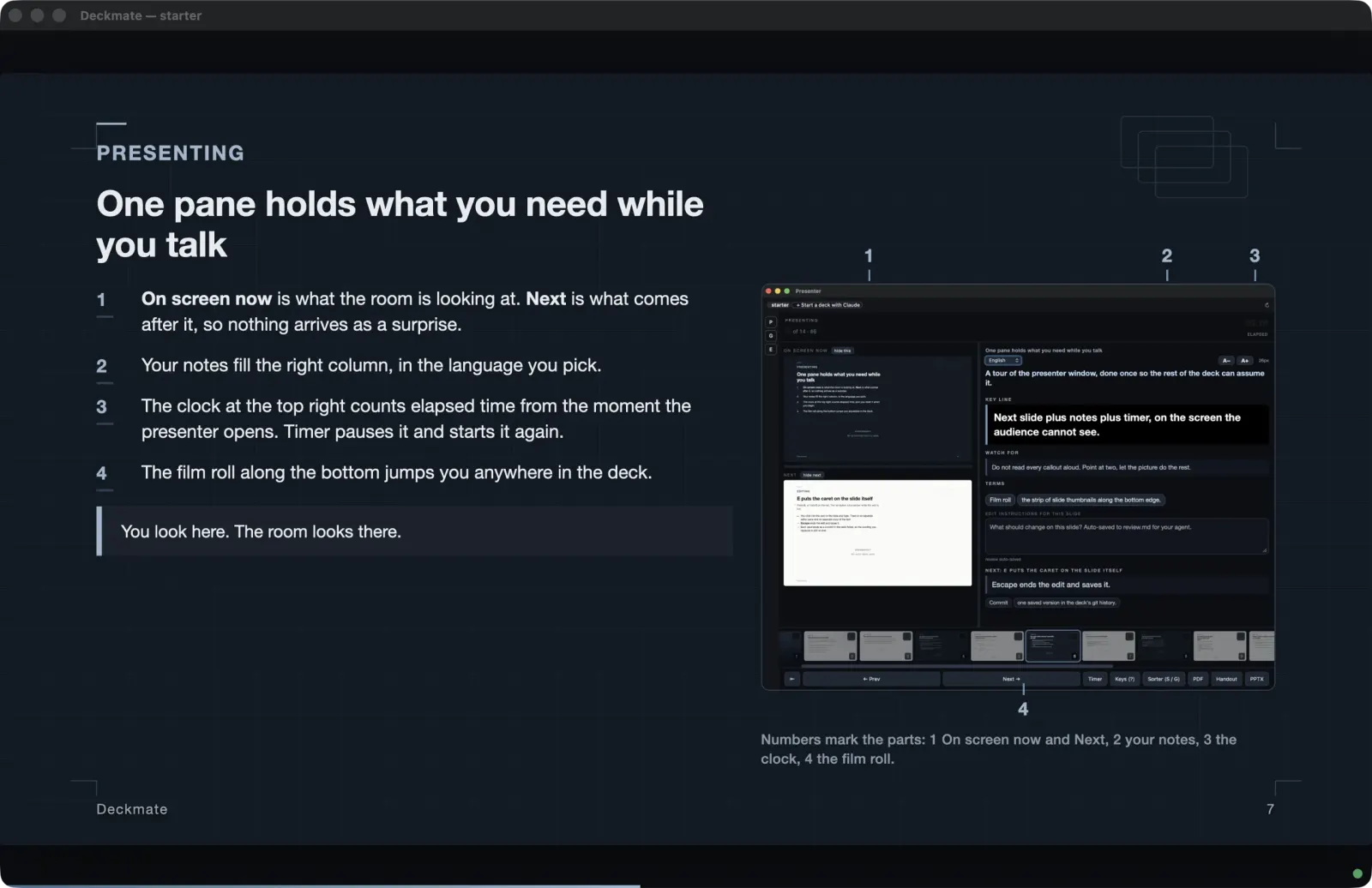
The Deckmate deck window presenting a dark slide

Present

Two screens. You see more.

Press P and a presenter window opens with your notes, the next slide, an elapsed timer, and a film roll of thumbnails. Speaker notes can carry more than one language; L switches live.

“You look here. The room looks there.”the deck that ships with the app
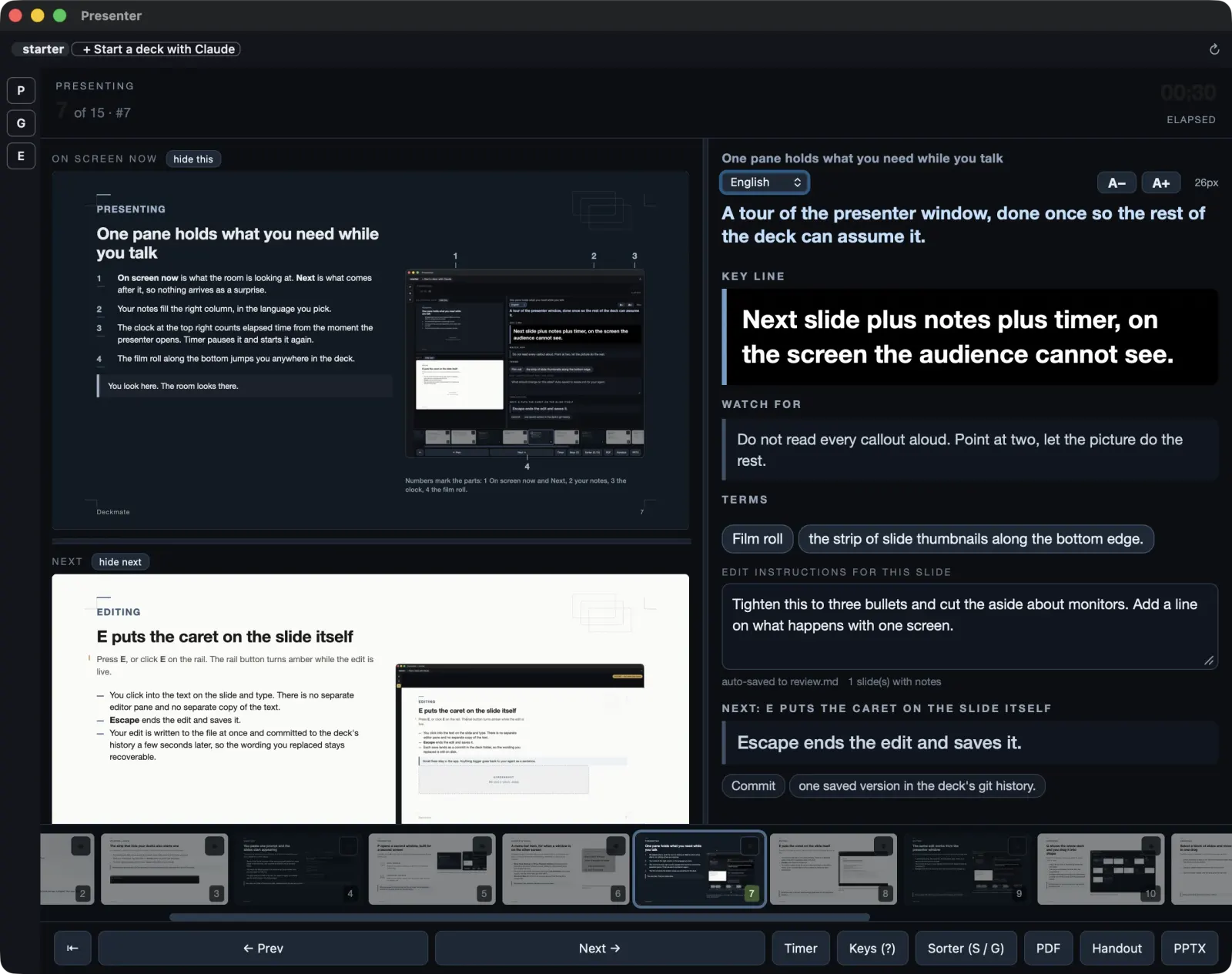
The presenter window: current slide with notes, next slide preview, elapsed timer, and a film roll of thumbnails
The presenter window, on the screen only you see.
2 / 11

Why Deckmate

The deck is already HTML.

Ask a file-based agent for a PowerPoint and it will typically draft the slides in HTML first, then bury them in the export. Each round of feedback after that squeezes through a proprietary file that neither of you edits well: token-hungry, error-prone, hard to diff.

Deckmate skips the burial. The slides stay in one plain HTML file your agent reads and writes directly, inside a deck folder with its notes and assets. PDF and PPTX are exports on the way out, not the place your deck lives.

3 / 11

Author

Say what the deck should be.

You describe it. Your agent writes the slides into one plain HTML file, and you watch them appear in the window as it works.

A deck is a folder of plain files on your disk. It opens with or without the app, and it stays yours either way.
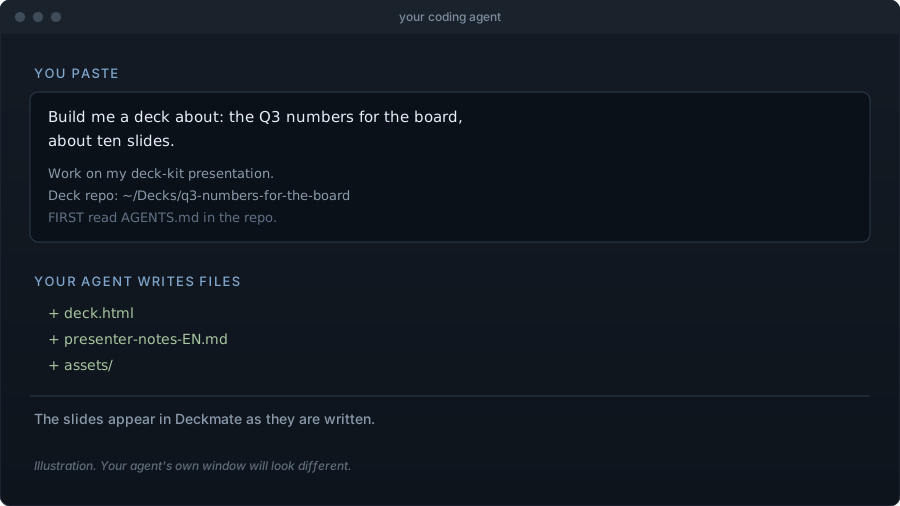

Illustration of a coding agent window: you paste a prompt describing the deck, the agent writes deck.html, presenter notes, and assets The pill in the Deckmate deck strip that reads Start a deck with Claude
The agent window is an illustration. The strip is a real screenshot.
4 / 11

Edit in place

Wrong word? Fix it on the slide.

Press E and the caret goes onto the slide itself. Esc ends the edit and saves it. No prompt, no regeneration, no waiting.

It is your name on the deck, not the agent's. The author decides, and deciding has to be cheap. With git set up, every edit lands in the deck's history seconds later, so wording you replaced stays recoverable.
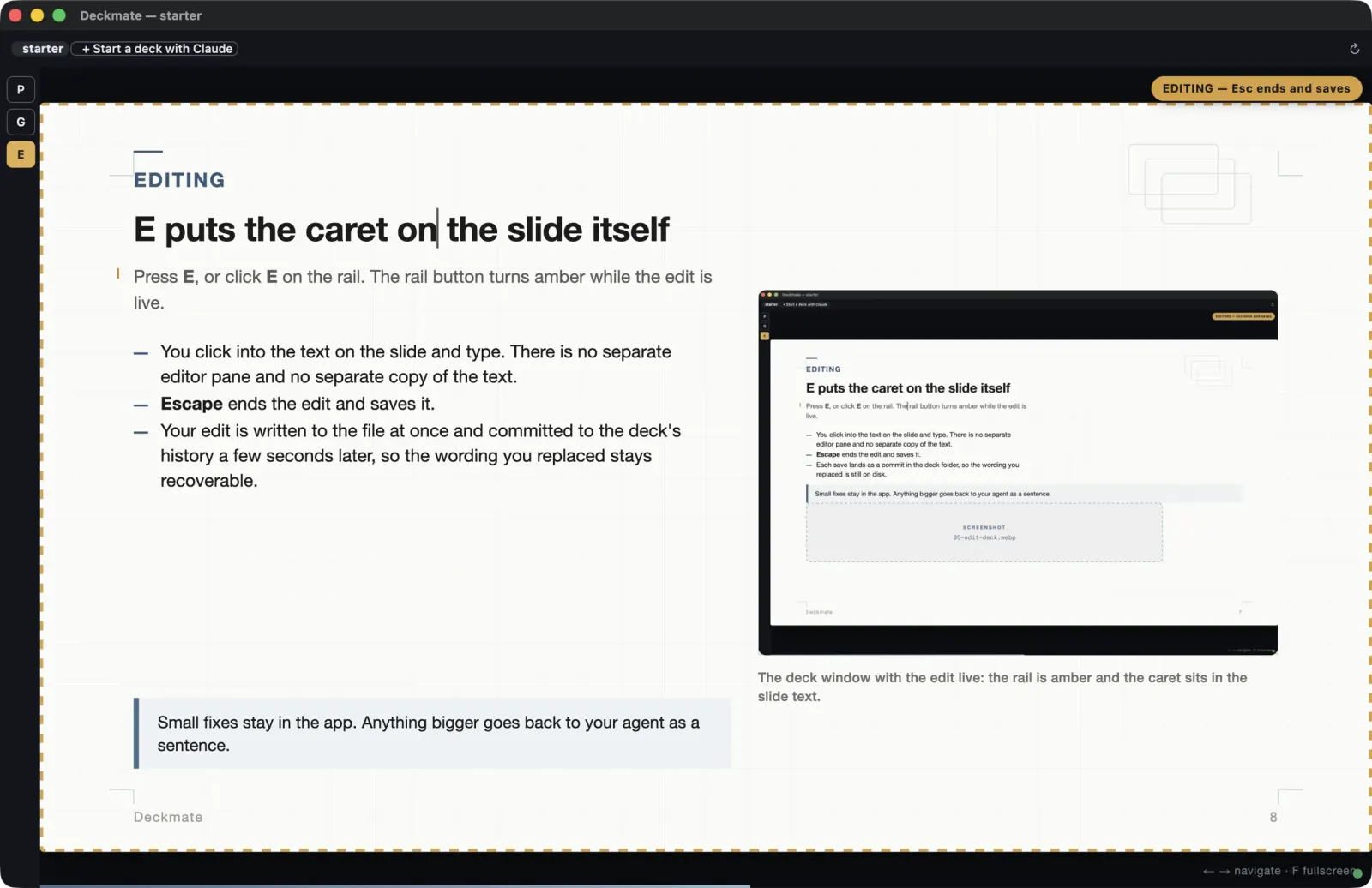
Edit mode in the deck window: an amber rail marks the editing state and the text caret sits directly on the slide
Edit mode. The amber rail means the slide is live text.
5 / 11

Reorder

Four slides, one drag.

Press G: the deck becomes a grid of tiles. Drag to reorder. Checkbox plus shift-click selects a range, and the whole block moves in one drag.

The eye button on a tile hides that slide from the presentation without deleting it.
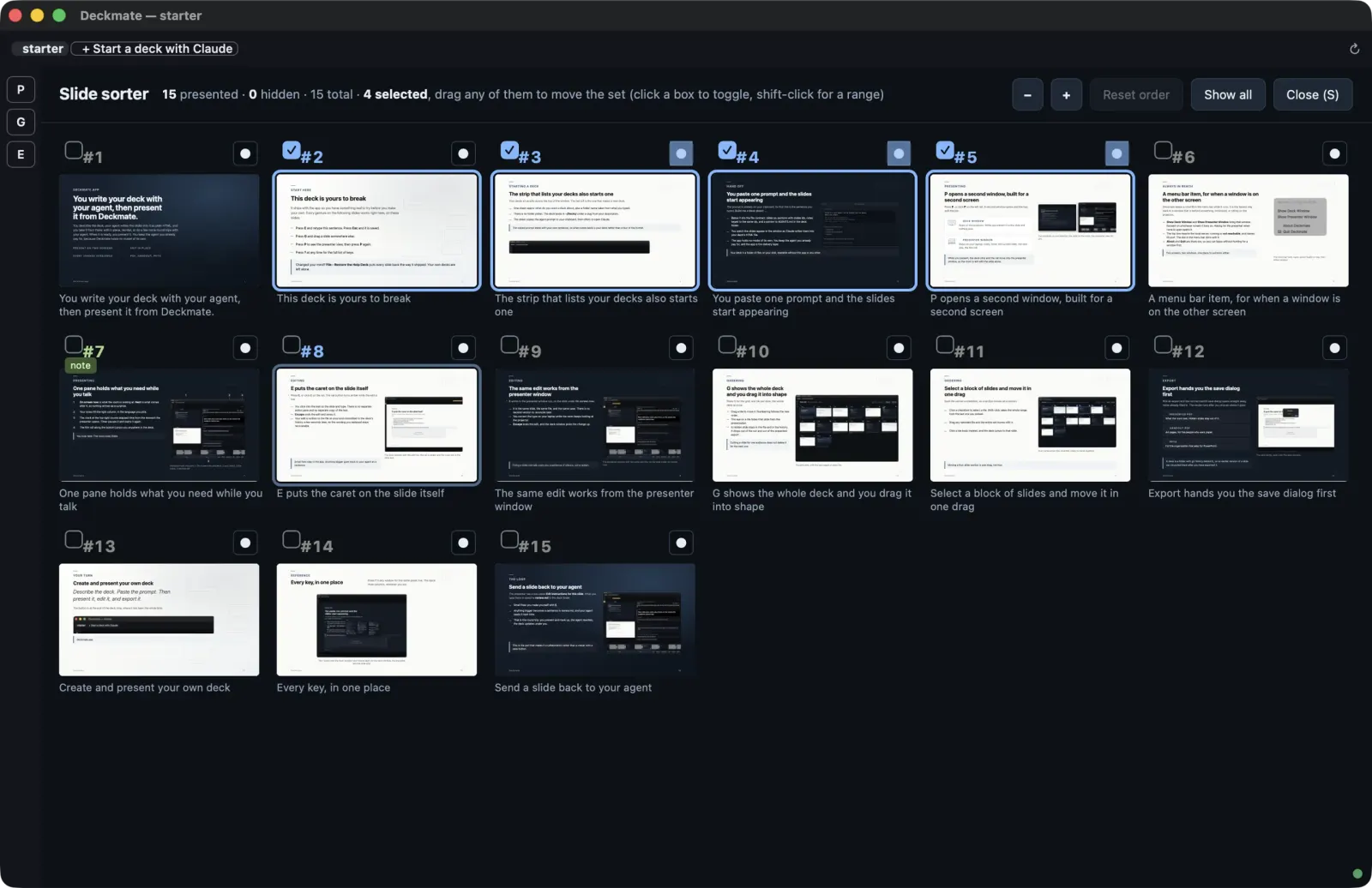
The slide grid with a range of four tiles selected, ready to move as one block
A four-tile range, selected with shift-click, moving together.
6 / 11

The round trip

Leave a note. The deck comes back sharper.

The presenter has a box called Edit instructions for this slide. What you type there is saved to review.md in the deck folder, and your agent reads it next time.

Rehearse, note what bothered you, hand it back. That is the loop.
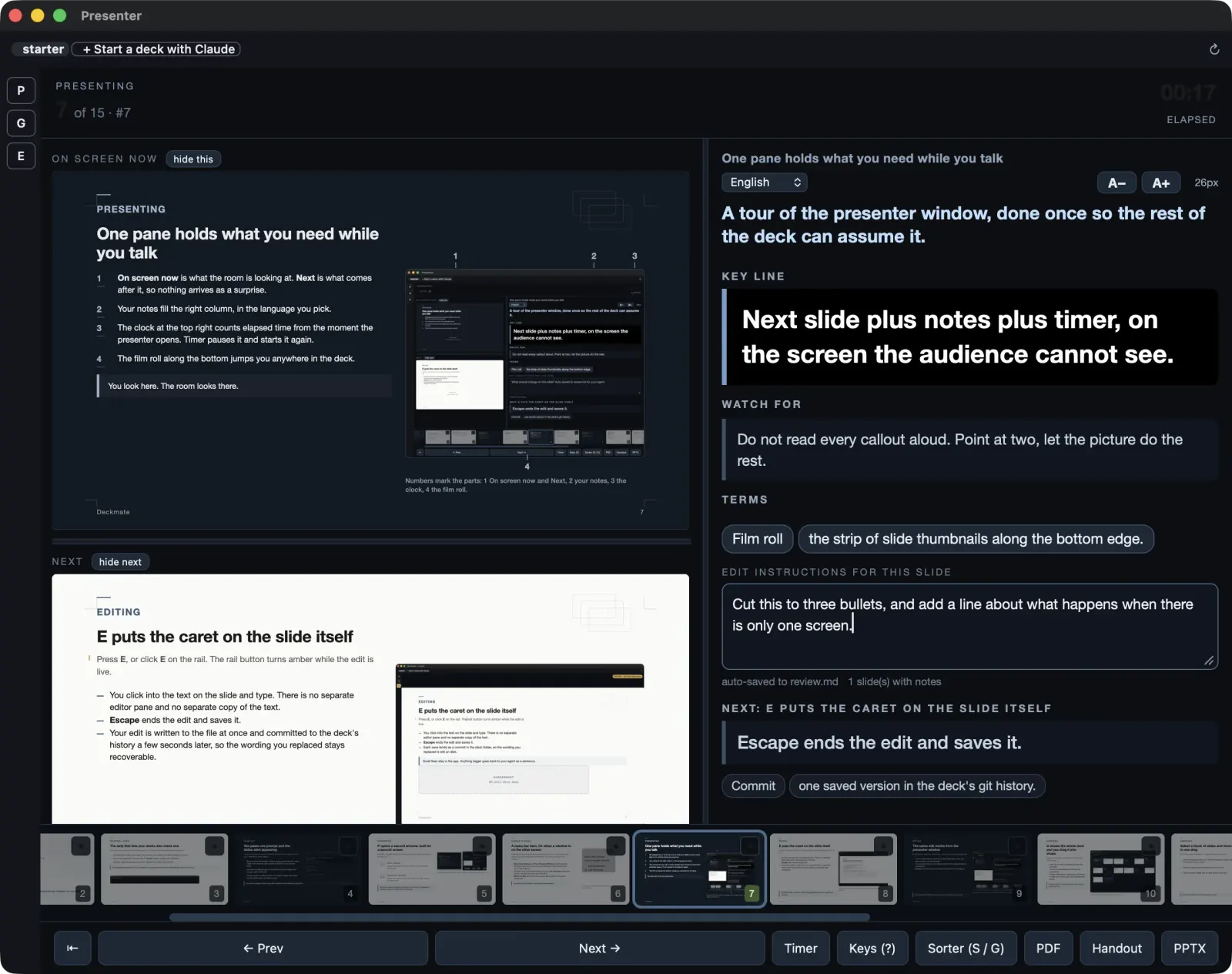
The presenter's Edit instructions box with a note typed in, saved to review.md in the deck folder
Your note lands in review.md, next to the slides.
7 / 11

Export

It leaves as files people expect.

Exports go through the normal macOS save dialog: Presented PDF, where hidden slides stay out. Handout PDF, A4 pages with note lines. And PPTX, for the people who ask for PPTX.
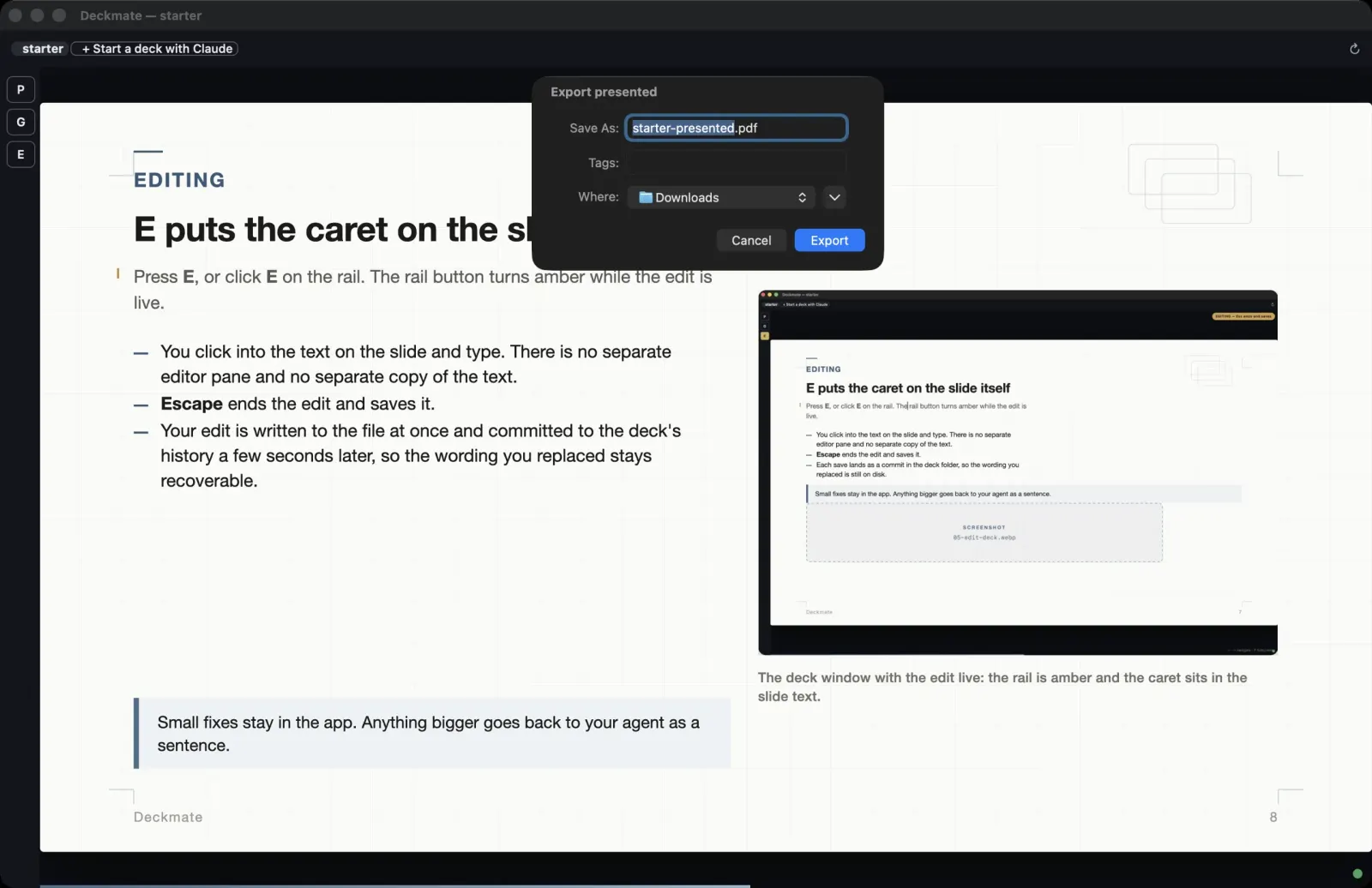
The macOS save dialog open over the deck window, exporting a Presented PDF
The save dialog you already know.
8 / 11

On your Mac

Your files, your agent, your machine.

Not another AI slide service. Deckmate holds no model, meters no tokens, and works with the agent seat you already pay for.

Decks live on your Mac, in folders that open with or without the app. A menu bar item shows the local server state and summons either window.

  • macOS 13 or later
  • Google Chrome, used for the PDF and PPTX exports
  • git recommended, for history and undo. The app offers to set it up on first run.
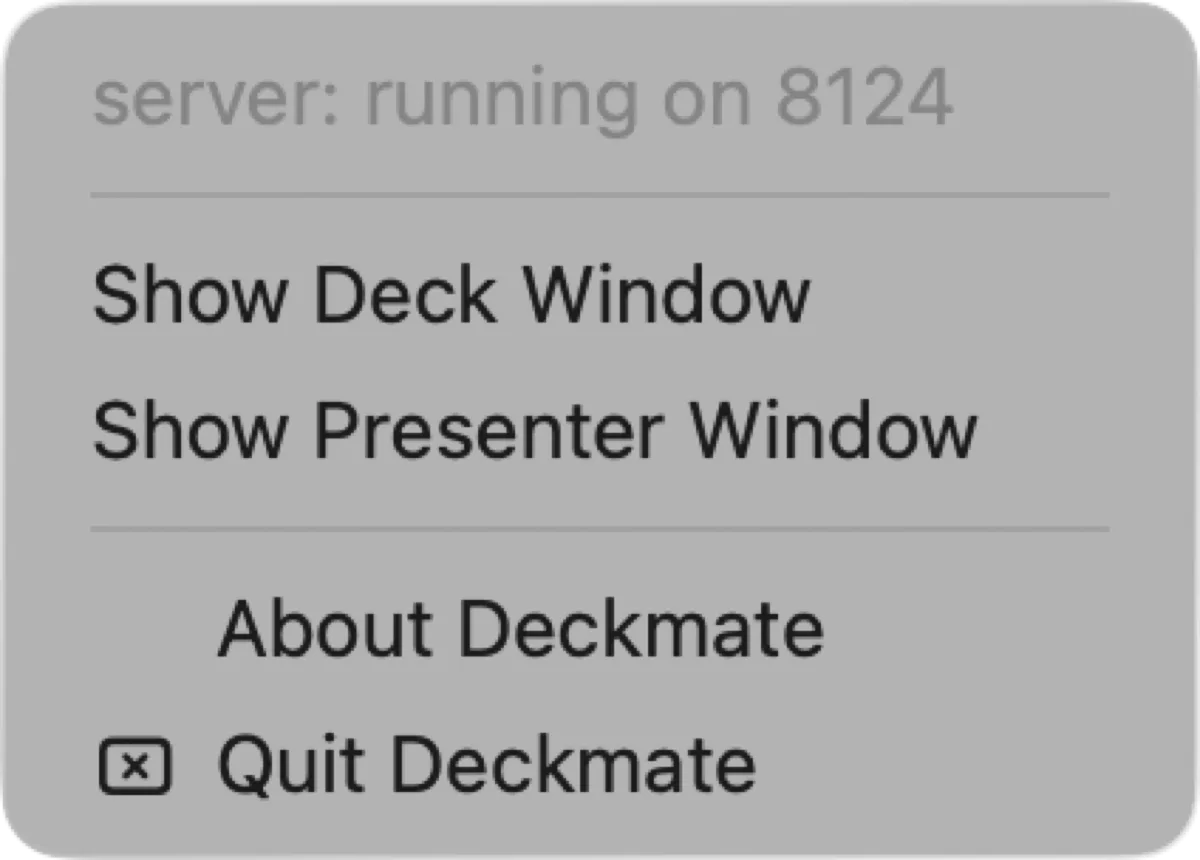
P present E edit G grid ? keys
9 / 11

Questions

Asked, answered.

Why not just ask my agent for a PowerPoint?

A file-based agent will typically draft the slides in HTML first, then bury them in the export. Every revision after that squeezes through a proprietary file that neither of you edits well. Deckmate keeps the deck where both of you can work on it.

Do I need a terminal for this?

No. A desktop agent app is all it takes. Chat tools that live in a browser tab cannot edit files on your disk, which is why Deckmate pairs with desktop agents. Claude Cowork is point-and-click friendly with no terminal in sight; Claude Code and ChatGPT's desktop agent work too.

Is this another slide-generating ChatGPT wrapper that wants my API keys?

No. Deckmate holds no model, asks for no keys, and meters no tokens. It assumes you already have an LLM seat. It works best with file-based agents such as Claude Code or Claude Cowork, and ChatGPT's desktop agent works too.

Do I have to round-trip one slide at a time?

No. Every slide takes review notes. Write your asks across as many slides as you like, then have the agent fix all of them in one pass. Fewer rounds, fewer tokens.

Where do my slides actually live?

In a folder on your Mac. No account, no cloud. The deck opens with or without the app, and it stays yours either way.

Will the makers of the Deckmate application access or sell my slides?

No. The Mac application works on plain files on your disk; we do not see your slides, so there is nothing of your deck for us to access or sell. Slides leave your Mac only when your agent sends them to your LLM for authoring, on your channel and your terms. With a local model, they can stay on your machine the whole way.

What do people without Deckmate see?

The deck opens in any browser, and exports hand them the file they asked for: a presented PDF, an A4 handout, or a PPTX.

Do I have to know HTML?

No. You describe the deck, the agent writes it, and you fix words directly on the slide. The HTML stays out of your way until you want it.

What if the agent makes my deck worse?

With git set up, every deck sits on history: undo steps back one check-in at a time, and your review notes steer the next round. Deckmate offers to set git up on first run if it is not already on your Mac.

Can I present offline, on stage, without the agent?

Yes. Presenting is the app's native act: a clean window for the room, a presenter window with notes in more than one language, a timer, and the next slide in the corner of your eye.

What does it cost?

Free to use, with a small Deckmate mark on presented decks. A one-time license removes the mark.

10 / 11

The last slide

Be presenting when it ships.

Deckmate is coming soon and is not downloadable from this page yet. Pre-register and you will hear from us when it ships, and not much before that.

Deckmate · made for macOS hello@deckmate.app Terms · Refunds · Privacy
11 / 11

Keys, on this page

→ ↓ PgDnnext slide
← ↑ PgUpprevious slide
Home / Endfirst / last slide
?this panel
Escclose it