DeckmateDemo deck Back to deckmate.app
Deckmate

Draft the deck
with your AI,
perfect it here,
then present it

Your AI writes the slides as HTML. You mark them up, it revises them, round by round. Then you present from your Mac, or send the deck to anyone with a browser.

Why Deckmate

An AI drafts a deck in minutes.
Getting it right takes rounds.

In a chat In Deckmate
On slide 4, the second bullet... no, the one under the chart
Which bullet do you mean?
Make the title shorter
Not that slide, the one before it
Board meeting Q3: three bets Cut one?
In a chat you describe where the fix goes. Here you point at it.
Feedback to AI

Draw your feedback where it applies

Circle what needs to change

The pen draws on a private layer. The slide itself does not change.

Type what should change

A short note, or a callout pinned to the exact spot.

Add it to feedback

The drawing and the note go to your AI together, as one round.

Press C to open Feedback to AI on any slide.
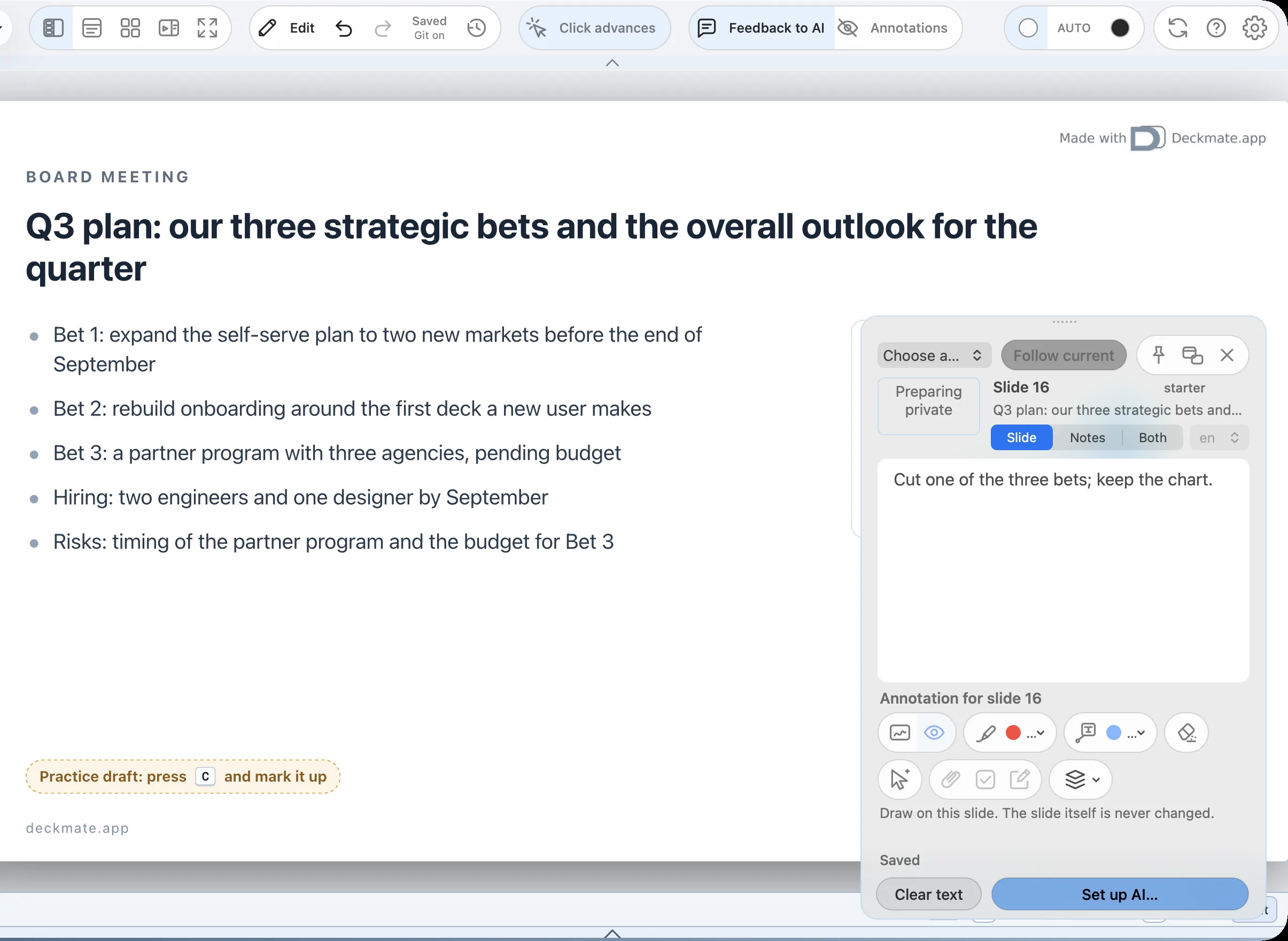
Feedback to AI open on a slide, with a note for the AI
The loop

Your AI gets one round, revises, and you check it off

A real round

One round in the app, start to finish

1
Sketch it on the slide

A rough pen sketch of Newton under a tree, and a short note in Feedback to AI.

2
ChatGPT takes the round

It reads the round, draws the scene in SVG, animates the apple and writes the slide through Deckmate.

3
Check it, hide the sketch

The change is one Undo away. Hide the sketch, and the apple falls.
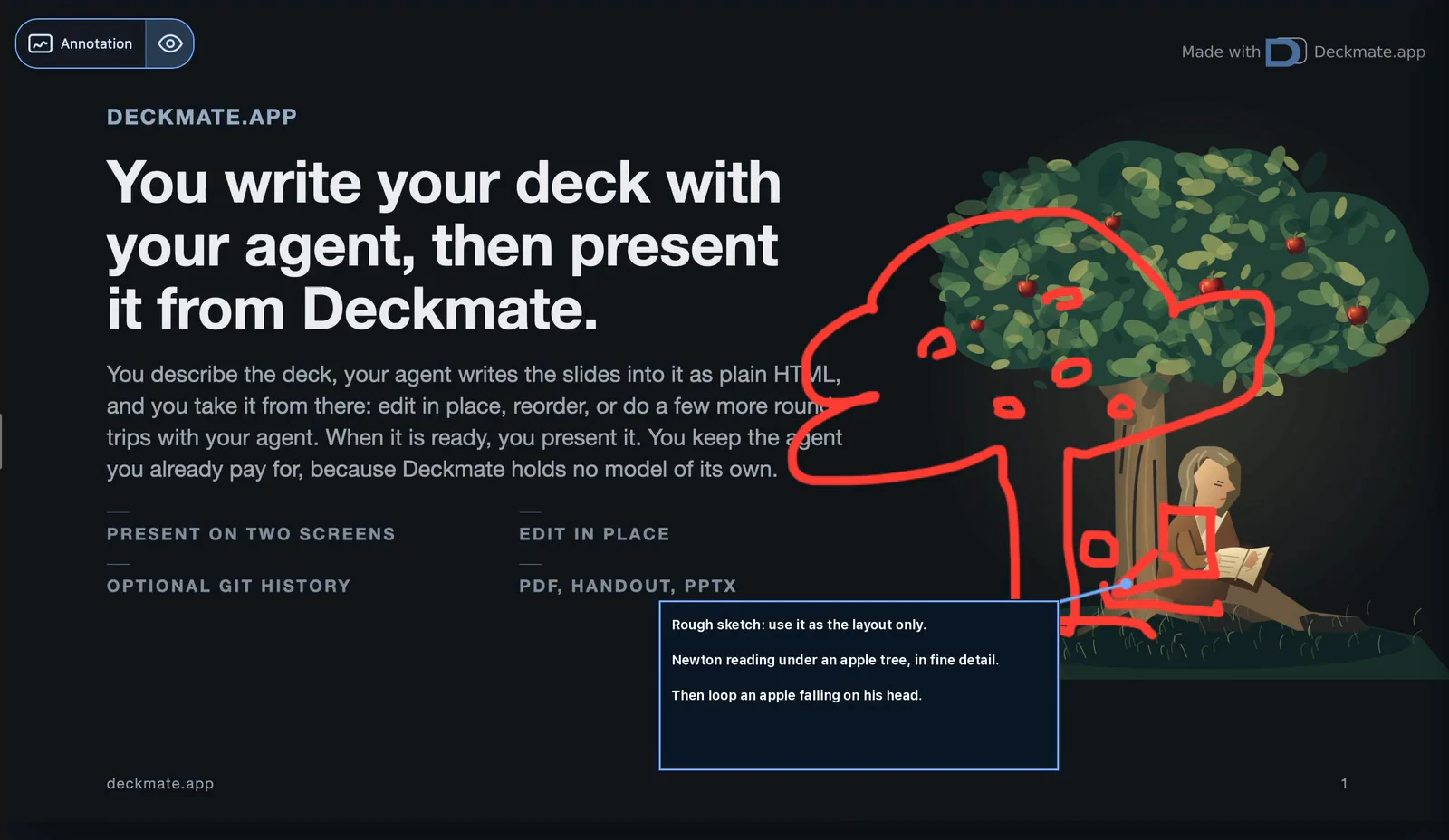
RecordedIn Deckmate, 19 Oct 2026, with ChatGPT (gpt-6.1-sol).
The note is retyped for legibility, and the AI’s 86 s are sped up.
Slide perfecting

Three rounds from a first draft
to a slide you would present

Board meeting Q3 plan: our three strategic bets and the overall outlook for the quarter Q3: two bets, one cut
  • Self-serve in two new markets
  • Market outlook: steady overall
  • Partners: three resellers
  • Hiring: six roles by September
  • Custom reports: moved to Q4
Q3 revenue impact, by bet
Self-servePartnersReports
Cut two? Make the chart the point Shorter? Done Your AI revises
  1. First draftBy your AI
  2. 1Round 1Cut two?
  3. 2Round 2Make the chart the point
  4. 3Round 3Shorter?
Your AI

Bring the AI you already pay for

CC
Claude CodeAnthropic
GPT
ChatGPTOpenAI
AG
AntigravityGoogle
ANY
Any agent that takes a promptFile > Copy Agent Prompt
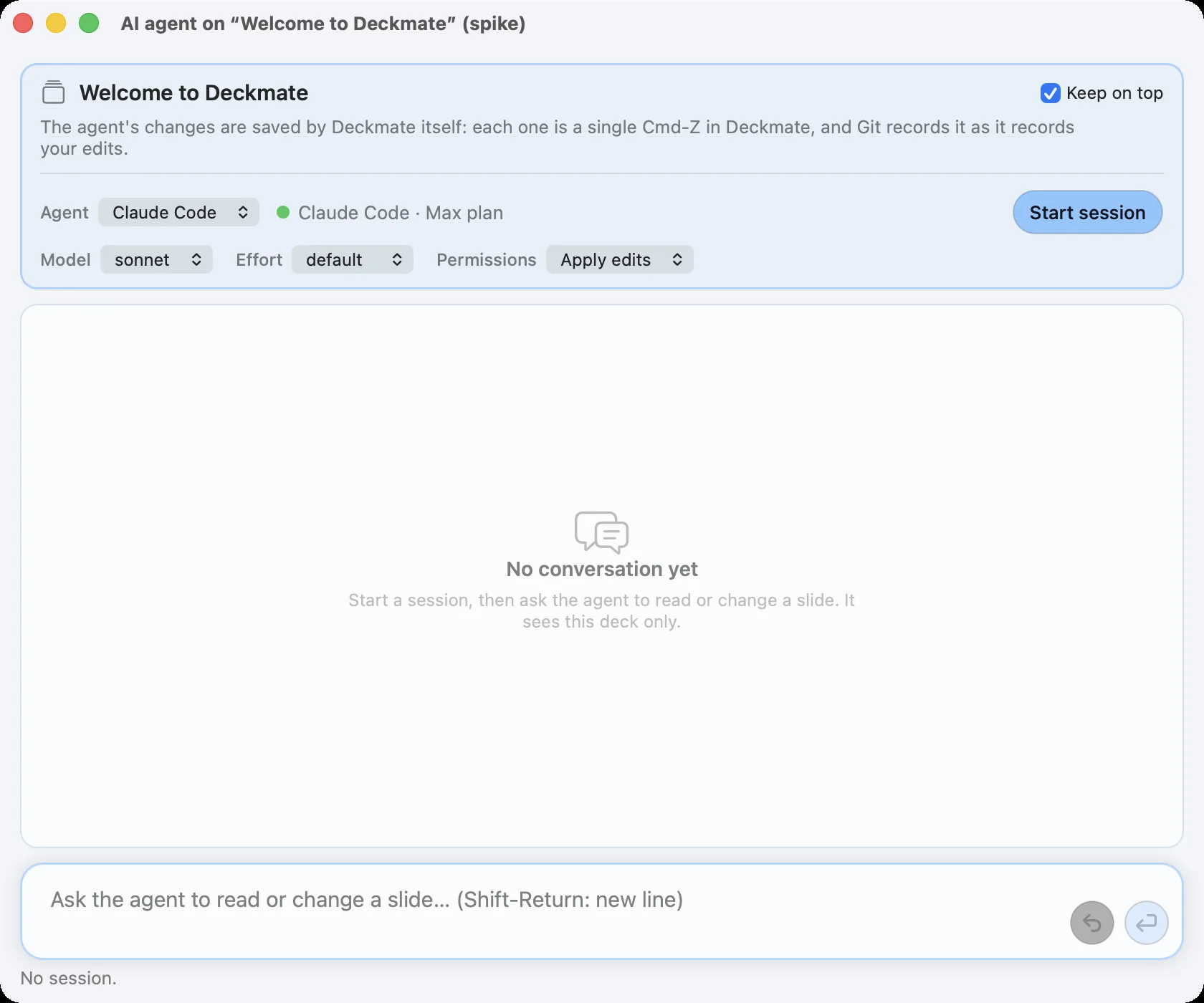
The AI panel beside the deck, with Claude Code on a Max plan

Deckmate has no model of its own and resells no AI.

Nothing goes to an AI unless you send it.

Every AI write is one Undo away.

By hand

A word or a title? Change it yourself

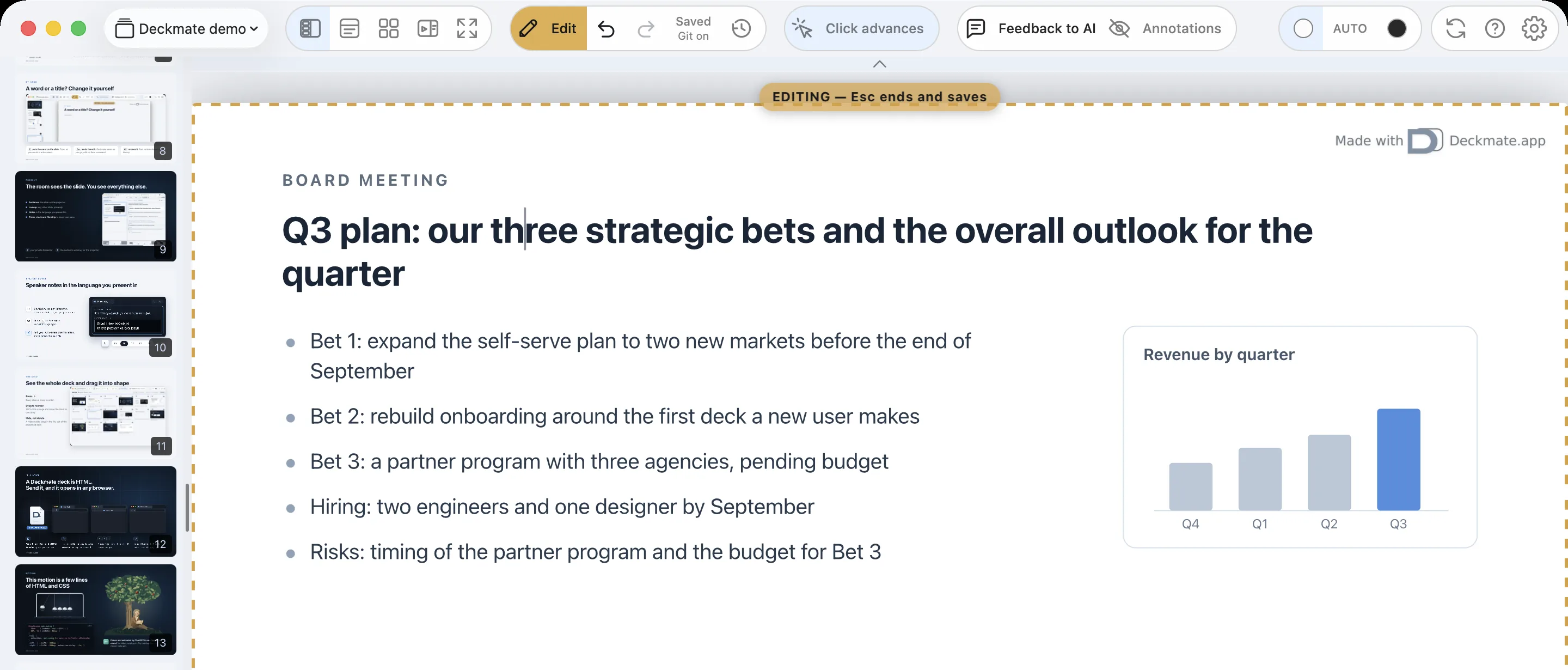
Edit mode in the deck window, the caret in a slide title
Eputs the caret on the slide. Type, as you would in a document.
Escends the edit. Deckmate saves as you go, with no Save command.
⌘Zundoes it. Past versions keep the history.
Present

The room sees the slide. You see everything else.

Audience: the slide on the projector.

Lookup: any other slide, privately.

Notes in the language you present in.

Timer, clock and filmstrip to keep your pace.
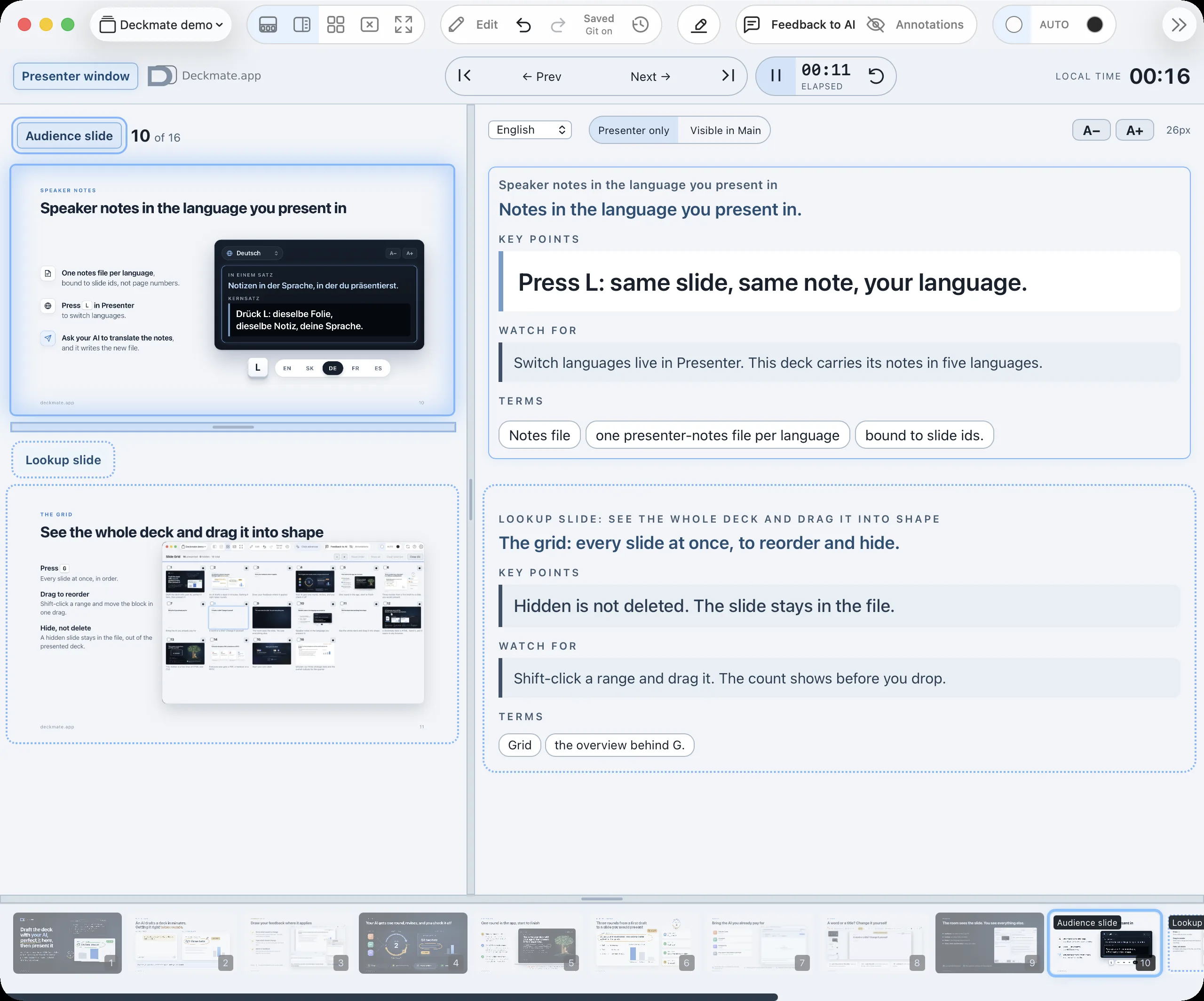
The Presenter window: Audience and Lookup slides, speaker notes, timer and filmstrip
Pyour private PresenterFthe audience window, for the projector
Speaker notes

Speaker notes in the language you present in

One notes file per language,
bound to slide ids, not page numbers.

Press L in Presenter
to switch languages.

Ask your AI to translate the notes,
and it writes the new file.

English Slovensky Deutsch Français Español
A−A+
In one line
Notes in the language you present in.
Key line
Press L: same slide, same note, your language.
V jednej vete
Poznámky v jazyku, v ktorom prezentuješ.
Kľúčová veta
Stlač L: ten istý slajd, tá istá poznámka, tvoj jazyk.
In einem Satz
Notizen in der Sprache, in der du präsentierst.
Kernsatz
Drück L: dieselbe Folie, dieselbe Notiz, deine Sprache.
En une ligne
Les notes dans votre langue de présentation.
Phrase clé
Appuyez sur L : même diapo, même note, votre langue.
En una línea
Notas en el idioma en que presentas.
Frase clave
Pulsa L: misma diapositiva, misma nota, tu idioma.
ENSKDEFRES
The grid

See the whole deck and drag it into shape

Press GEvery slide at once, in order.

Drag to reorderShift-click a range and move the block in one drag.

Hide, not deleteA hidden slide stays in the file, out of the presented deck.
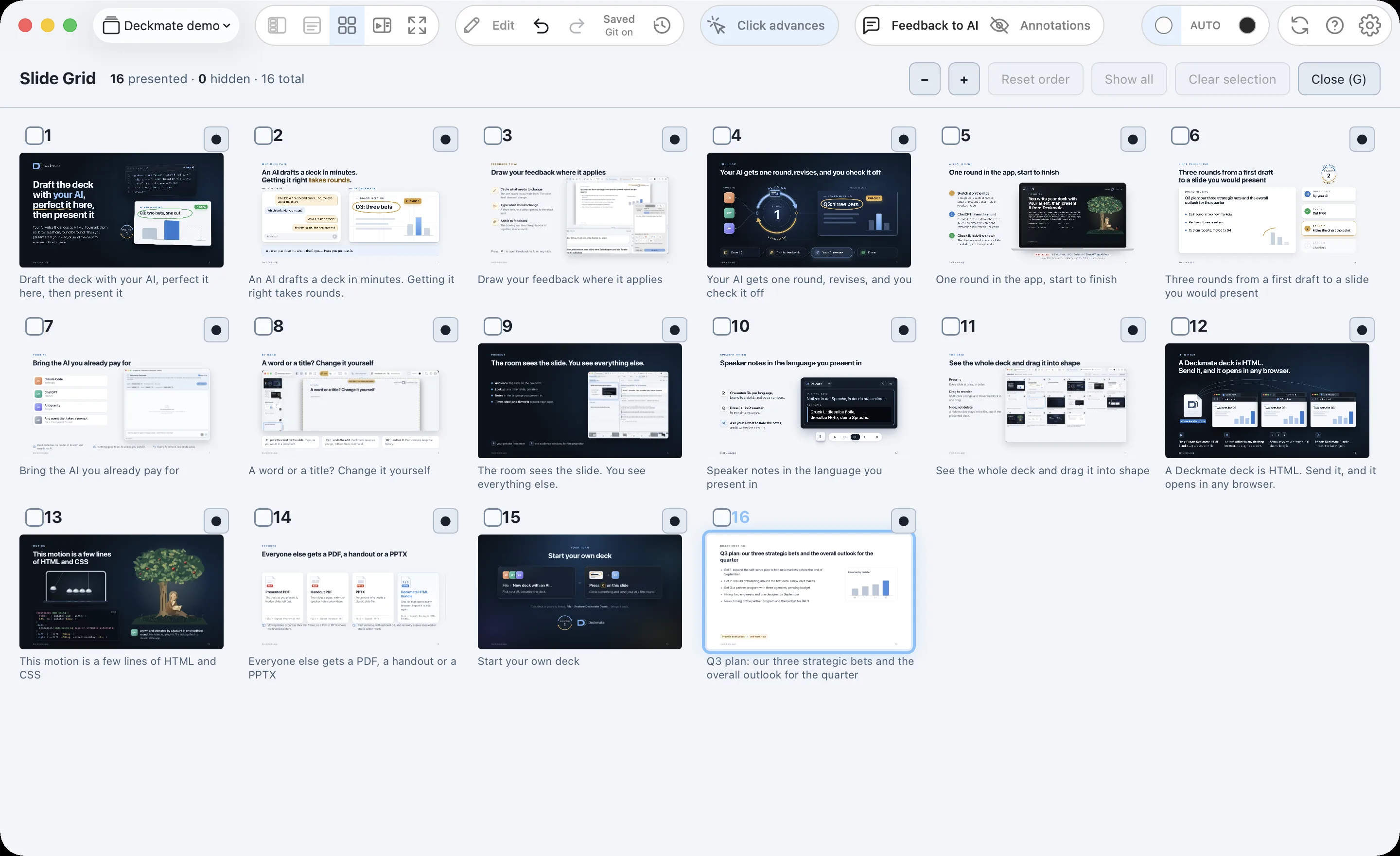
The slide grid of this deck
It is HTML

A Deckmate deck is HTML.
Send it, and it opens in any browser.

File > Export Deckmate HTML Bundle… gives you one file.

It opens offline in any desktop browser: no app, no account.

←→G

Arrow keys move through it; G shows the grid.

Import Deckmate Bundle… makes it editable again.

Motion

This motion is a few lines
of HTML and CSS

CSS@keyframes mph-swing {
  from    { rotate: var(--lift); }
  50%, to { rotate: 0deg; }
}
.ball {
  animation: mph-swing 1s ease-in infinite alternate;
}
.left  { --lift:  30deg; }
.right { --lift: -30deg; animation-delay: -1s; }
GPT

Drawn and animated by ChatGPT in one feedback round. No video, no plug-in. Try making this in a classic slide app.

Exports

Everyone else gets a PDF, a handout or a PPTX

Presented PDF

The deck as you present it, hidden slides left out.

File > Export Presented PDF
Handout PDF

Two slides a page, with your speaker notes below them.

File > Export Handout PDF
PPTX

For anyone who needs a classic slide file.

File > Export PPTX
Deckmate HTML Bundle

One file that opens in any browser. Import it to edit again.

File > Export Deckmate HTML Bundle…
Moving slides export as their still frame, so a PDF or PPTX shows the finished picture.
Past versions, with optional Git, and recovery copies keep earlier states within reach.
Your turn

Start your own deck

File›New deck with an AI…

Pick your AI, describe the deck.

or
Press C on this slide

Circle something and send your AI a first round.

This deck is yours to break. File›Restore Deckmate Demo… brings it back.

Deckmate
Deckmate

You just paged through a Deckmate deck

Every slide in it is HTML and CSS, motion included. In Deckmate you draft a deck like this with your AI, perfect it round by round, and present it.

Mac app, coming soon. Free to use; a one-time license removes the mark. No subscription.

Keys

→ Space or a clicknext slide
← or a click on the left thirdprevious slide
Gevery slide
Ffull screen
Home / Endfirst / last slide

On a phone or tablet, swipe.

This is the web edition of Deckmate's demo deck: its slides and motion in a small viewer. More at deckmate.app.